Convert a time from seconds to minutes. You can show the answer as decimal minutes or in minutes-and-seconds format.
Seconds to Minutes Formula
There are exactly 60 seconds in one minute:
1 min = 60 s
To convert seconds to minutes, divide by 60:
Time in minutes = Time in seconds ÷ 60
For example:
90 s ÷ 60 = 1.5 min
The same duration can also be written as 1 minute and 30 seconds.
How to Write the Answer in Minutes and Seconds
Sometimes a clock-style answer is easier to understand than a decimal. Divide the seconds by 60, use the whole number as the minutes, and keep the remainder as the seconds.
For example:
100 ÷ 60 = 1 remainder 40
Therefore, 100 seconds = 1 minute 40 seconds. As a decimal, it is approximately 1.6667 minutes.
Seconds to Minutes Conversion Table
| Seconds | Decimal Minutes | Minutes and Seconds |
|---|---|---|
| 10 s | 0.1667 min | 0 min 10 s |
| 20 s | 0.3333 min | 0 min 20 s |
| 30 s | 0.5 min | 0 min 30 s |
| 45 s | 0.75 min | 0 min 45 s |
| 60 s | 1 min | 1 min |
| 75 s | 1.25 min | 1 min 15 s |
| 90 s | 1.5 min | 1 min 30 s |
| 100 s | 1.6667 min | 1 min 40 s |
| 120 s | 2 min | 2 min |
| 180 s | 3 min | 3 min |
| 300 s | 5 min | 5 min |
| 600 s | 10 min | 10 min |
| 900 s | 15 min | 15 min |
| 1,000 s | 16.6667 min | 16 min 40 s |
| 1,800 s | 30 min | 30 min |
| 3,600 s | 60 min | 60 min |
Why does the same file sometimes take longer to download?
Two videos can have the same file size but take very different amounts of time to download. One may finish in seconds, while another takes several minutes. The file size tells you how much data must be transferred, but it does not determine how quickly that data can travel from the server to your device.
File size and download speed are different measurements
File size is usually measured in megabytes (MB) or gigabytes (GB). Download speed is commonly measured in megabits per second (Mbps). Because one byte contains eight bits, a connection advertised as 80 Mbps can theoretically transfer approximately 10 MB each second.
Download time can be estimated with the following formula:
Download time in seconds = file size in megabytes × 8 ÷ speed in Mbps
To express the result in minutes, divide the number of seconds by 60:
Download time in minutes = download time in seconds ÷ 60
Download-time example
Suppose a video has a file size of 500 MB. On an 80 Mbps connection, its ideal download time is:
500 × 8 ÷ 80 = 50 seconds
On an 8 Mbps connection, the same video would take approximately:
500 × 8 ÷ 8 = 500 seconds
Five hundred seconds equals 8 minutes and 20 seconds. The video has not changed size; only the transfer speed has changed.
The table below estimates how long the same 500 MB file takes to download at different connection speeds. The calculations assume a constant speed and do not include network congestion, server limits or other delays.
| Download Speed | Time in Seconds | Time in Minutes | Readable Time |
|---|---|---|---|
| 1,000 Mbps | 4 seconds | 0.07 minutes | 4 seconds |
| 500 Mbps | 8 seconds | 0.13 minutes | 8 seconds |
| 200 Mbps | 20 seconds | 0.33 minutes | 20 seconds |
| 100 Mbps | 40 seconds | 0.67 minutes | 40 seconds |
| 80 Mbps | 50 seconds | 0.83 minutes | 50 seconds |
| 50 Mbps | 80 seconds | 1.33 minutes | 1 minute 20 seconds |
| 25 Mbps | 160 seconds | 2.67 minutes | 2 minutes 40 seconds |
| 10 Mbps | 400 seconds | 6.67 minutes | 6 minutes 40 seconds |
| 8 Mbps | 500 seconds | 8.33 minutes | 8 minutes 20 seconds |
| 5 Mbps | 800 seconds | 13.33 minutes | 13 minutes 20 seconds |
| 2 Mbps | 2,000 seconds | 33.33 minutes | 33 minutes 20 seconds |
| 1 Mbps | 4,000 seconds | 66.67 minutes | 1 hour 6 minutes 40 seconds |
These estimates use the formula time in seconds = 500 MB × 8 ÷ speed in Mbps. Actual download times may be longer because internet speeds fluctuate and the server may not send data at the full connection speed.
Why download speed changes
Internet speed is rarely constant. A website may use a fast content delivery network for one video and a slower server for another. A busy server can also limit how quickly it sends data, even when your own internet connection is fast.
Wi-Fi conditions can make a significant difference. Distance from the router, walls, interference and several connected devices can reduce the available speed. Other downloads, video calls, online games and streaming services may share the same connection and add minutes to a transfer.
Some websites deliberately restrict download speeds, particularly for free accounts. VPNs, antivirus scanning and browser extensions can add further delays. Saving a video to an older USB drive or memory card may also be slow because the storage device cannot write the data quickly enough.
Streaming is not the same as downloading
A streaming video may start playing after only a few seconds because the service initially downloads a small buffer. The rest of the video continues to arrive while you watch. A complete download must transfer and save the entire file, so it can take several minutes even though streaming begins almost immediately.
Estimated and actual download times
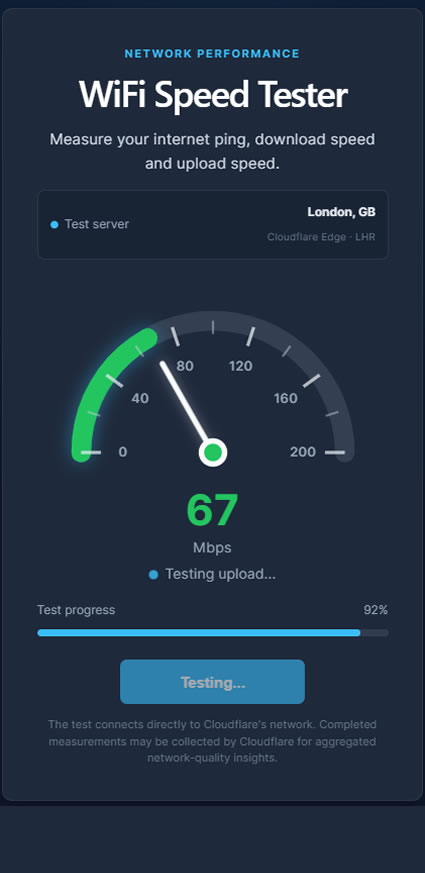
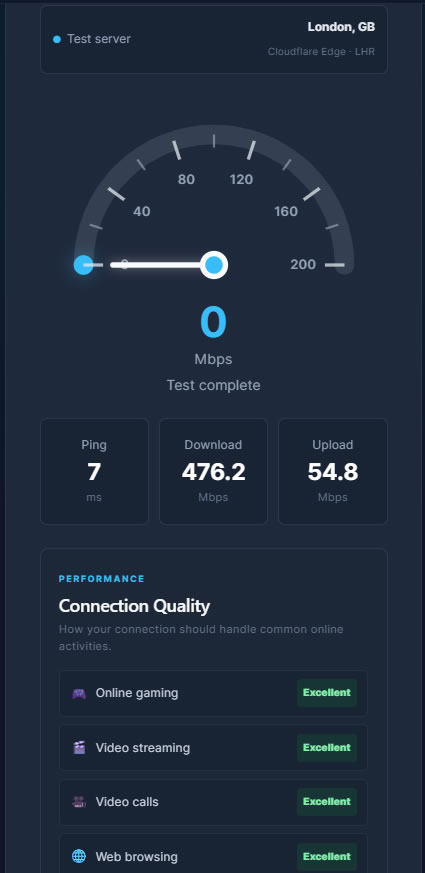
Formula results represent ideal estimates. Real downloads normally take longer because of connection overhead, changing Wi-Fi quality, network congestion and server limitations. A result of 60 seconds may therefore become 1 minute and 15 seconds, while a larger interruption could extend the transfer by several minutes. We provide a very useful free tool My Wifi Meter for testing your real download speed.
Converting between seconds and minutes makes download times easier to understand. Use seconds for short transfers and minutes for longer ones: 60 seconds equals 1 minute, and 300 seconds equals 5 minutes.