Gigabyte to Megabyte Formula
To convert gigabytes to megabytes, multiply the number of gigabytes by 1,000.
Megabytes = Gigabytes × 1,000
1 GB = 1,000 MB
About Gigabytes and Megabytes
A gigabyte (GB) is a unit of digital information commonly used for device storage, computer memory, applications, video games, high-resolution videos, backups and mobile-data allowances. In the decimal system, one gigabyte contains 1,000,000,000 bytes.
A megabyte (MB) is a smaller digital-information unit commonly used for photographs, music, documents, email attachments and individual downloads. One decimal megabyte contains 1,000,000 bytes.
Where is the GB-to-MB conversion useful?
Converting GB to MB is useful when a device or storage plan is described in gigabytes but individual files are displayed in megabytes. It helps estimate how many photographs, songs, documents or application files can fit on a USB drive, memory card, smartphone, computer or cloud-storage account.
The conversion can also help when comparing software and game downloads with available storage, planning backups, checking email or upload limits, and estimating mobile-data usage. Expressing both values in megabytes makes smaller file sizes easier to compare with a larger capacity stated in gigabytes.
Common Gigabyte to Megabyte Values
| Gigabytes | Megabytes |
|---|---|
| 0.001 GB | 1 MB |
| 0.005 GB | 5 MB |
| 0.01 GB | 10 MB |
| 0.02 GB | 20 MB |
| 0.05 GB | 50 MB |
| 0.1 GB | 100 MB |
| 0.25 GB | 250 MB |
| 0.5 GB | 500 MB |
| 0.75 GB | 750 MB |
| 1 GB | 1,000 MB |
| 1.5 GB | 1,500 MB |
| 2 GB | 2,000 MB |
| 5 GB | 5,000 MB |
| 8 GB | 8,000 MB |
| 10 GB | 10,000 MB |
| 16 GB | 16,000 MB |
| 32 GB | 32,000 MB |
| 64 GB | 64,000 MB |
| 128 GB | 128,000 MB |
| 256 GB | 256,000 MB |
| 512 GB | 512,000 MB |
Computer RAM: From Megabytes to the AI Era
What is computer RAM?
RAM stands for random-access memory. It is the computer's short-term working memory, holding the programs and data that the processor needs to access quickly. When you open a browser, edit a photograph, play a game, or run an AI application, some of that information is loaded into RAM.
RAM is different from long-term storage. Files remain on an SSD or hard drive after the computer is switched off, but most ordinary RAM is volatile, meaning its contents disappear when power is removed. More RAM allows a computer to keep more applications and larger datasets available without repeatedly transferring information to and from slower storage.
How RAM is measured in MB and GB
Early personal computers measured memory in kilobytes and megabytes. Modern computers generally describe RAM in gigabytes. For the decimal conversion used by this website:
1 GB = 1,000 MB
Computer memory is also frequently described using binary units. The formally named binary relationship is 1 GiB = 1,024 MiB. Hardware specifications and operating systems do not always display these terms consistently, which is why memory figures can sometimes appear confusing.
| RAM capacity | Decimal equivalent | Typical context |
|---|---|---|
| 1 MB | 0.001 GB | Early personal computers |
| 64 MB | 0.064 GB | Older desktop computers |
| 512 MB | 0.512 GB | Older PCs and embedded devices |
| 8 GB | 8,000 MB | Basic modern computing |
| 16 GB | 16,000 MB | Everyday work, study, and gaming |
| 32 GB | 32,000 MB | Creative work and demanding applications |
| 64 GB | 64,000 MB | Professional workstations and local AI tools |
| 128 GB | 128,000 MB | Engineering, large datasets, and advanced production |
A brief history of RAM
Early electronic computers used technologies such as delay lines, magnetic drums, and magnetic-core memory. Core memory stored individual bits in tiny magnetic rings threaded with wires. It was reliable and offered random access, but it was physically large and expensive to manufacture.
A major breakthrough came in 1966 when IBM researcher Robert Dennard developed the concept behind dynamic random-access memory, or DRAM. His design stored a bit using a transistor and capacitor, allowing memory cells to become much smaller. IBM received the DRAM patent in 1968. Semiconductor DRAM entered wider use during the early 1970s and gradually displaced magnetic-core memory. The IBM history of DRAM explains how Dennard's invention became the foundation of memory used in computers, servers, phones, and other electronic devices.
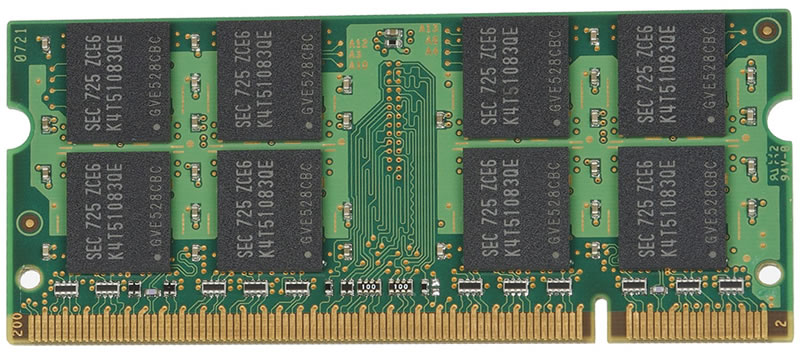
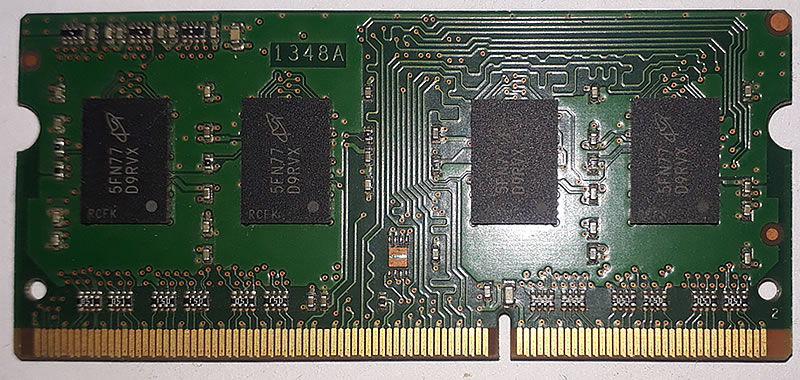
As semiconductor manufacturing improved, RAM grew from chips holding only bits or kilobytes to modules holding megabytes and then gigabytes. During the 1980s and 1990s, personal-computer memory commonly advanced through capacities such as 1 MB, 4 MB, 16 MB, and 64 MB. By the 2000s, gigabyte-scale RAM became increasingly common.
RAM Capacity in Megabytes and Gigabytes

RAM development during the AI boom
Artificial intelligence has made memory capacity and speed more important. AI models contain large numbers of parameters and process substantial datasets. The model, input data, intermediate calculations, and generated output must be moved through memory efficiently. A processor can perform calculations rapidly, but its performance may be limited if memory cannot supply data quickly enough.
Consumer computers continue to use system memory such as DDR4 and DDR5. AI accelerators commonly use high-bandwidth memory, or HBM, positioned close to the processor. HBM is designed to transfer far more data per second than conventional desktop memory.
The scale can be considerable. NVIDIA lists 80 GB of HBM3 on an H100 GPU, 141 GB of HBM3e on an H200, and up to 180 GB of HBM3e on a B200. An eight-GPU B200 system can therefore contain 1.44 TB of GPU memory. These figures show how AI infrastructure has moved beyond measuring memory in MB or even a few GB. See NVIDIA's AI system specifications for current examples.
Future development is focused not only on adding capacity but also on increasing bandwidth, improving energy efficiency, and moving data more effectively between CPUs, GPUs, and memory. As AI models become larger, memory architecture is becoming as important as raw processing power.