Megabyte to Gigabyte Formula
To convert megabytes to gigabytes, divide the number of megabytes by 1,000.
Gigabytes = Megabytes ÷ 1,000
1,000 MB = 1 GB
Common Megabyte to Gigabyte Values
| Megabytes | Gigabytes |
|---|---|
| 1 MB | 0.001 GB |
| 10 MB | 0.01 GB |
| 50 MB | 0.05 GB |
| 100 MB | 0.1 GB |
| 128 MB | 0.128 GB |
| 250 MB | 0.25 GB |
| 500 MB | 0.5 GB |
| 512 MB | 0.512 GB |
| 650 MB | 0.65 GB |
| 700 MB | 0.7 GB |
| 750 MB | 0.75 GB |
| 1,000 MB | 1 GB |
| 1,024 MB | 1.024 GB |
| 1,500 MB | 1.5 GB |
| 2,000 MB | 2 GB |
| 4,000 MB | 4 GB |
| 5,000 MB | 5 GB |
| 10,000 MB | 10 GB |
| 50,000 MB | 50 GB |
About Megabytes and Gigabytes
A megabyte (MB) is a unit of digital information equal to 1,000,000 bytes. Megabytes commonly describe photographs, music files, PDF documents, email attachments and smaller software downloads.
A gigabyte (GB) is a larger unit equal to 1,000,000,000 bytes. Gigabytes commonly describe smartphone and computer storage, RAM, videos, applications, video games, backups, cloud storage and mobile-data allowances.
Where is the MB to GB conversion useful?
Converting MB to GB is useful whenever a file size and the available storage are shown in different units. It can help you determine whether videos or photographs will fit on a storage device, compare software download sizes with free disk space, estimate backup requirements, and understand cloud-storage or mobile-data usage.
Storage manufacturers generally use the decimal units MB and GB. Computers may also report capacity using the binary units mebibytes (MiB) and gibibytes (GiB). These are related but distinct units, so MB is not identical to MiB and GB is not identical to GiB.
USB Flash Drives: History, Capacity, and Common Uses
What is a USB flash drive?
A USB flash drive is a small, portable storage device that combines flash memory with a USB connector. It is also commonly called a thumb drive, memory stick, pen drive, or USB stick. Unlike a traditional hard drive, it has no moving parts. Files remain stored when the drive is disconnected because flash memory is non-volatile.
When was the USB flash drive invented?
The modern USB flash drive appeared around 1999 and 2000 , although its invention is associated with several competing companies and development teams. M-Systems developed an early product known as DiskOnKey, while Singapore-based Trek 2000 introduced an 8 MB device called the ThumbDrive in 2000.
These early drives arrived shortly after the introduction of USB 2.0. Their small size, reusable storage, and simple plug-in connection made them a practical alternative to floppy disks. The Computer History Museum notes that flash drives gradually replaced floppy disks for transporting documents, photographs, and other personal files.
How USB capacity grew from MB to GB
The first commercial USB drives stored only a few megabytes. An early 8 MB drive could hold office documents and small images but was not large enough for modern video or software. As flash memory became less expensive and more compact, capacities increased from megabytes to gigabytes and eventually terabytes.
| Advertised capacity | Equivalent storage | Typical use |
|---|---|---|
| 8 MB | 0.008 GB | Early documents and small files |
| 512 MB | 0.512 GB | Documents, presentations, and photographs |
| 8 GB | 8,000 MB | Schoolwork and operating-system installers |
| 32 GB | 32,000 MB | Photos, music, and everyday file transfers |
| 64 GB | 64,000 MB | Large collections of documents and media |
| 128 GB | 128,000 MB | Video, software, and temporary backups |
| 256 GB | 256,000 MB | Large media libraries and project files |
These conversions use decimal units, where 1 GB equals 1,000 MB. A computer may display a lower numerical capacity because some operating systems use binary calculations and because formatting consumes a small amount of space.
USB flash drives from Megabytes and Gigabytes
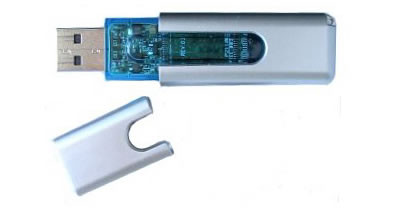
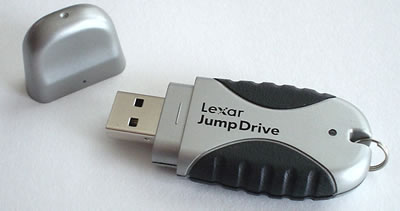
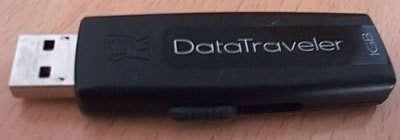
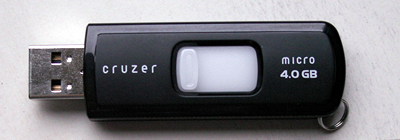
USB connectors and transfer speeds
Traditional flash drives usually have a rectangular USB Type-A connector. Newer models may use USB-C, while dual-connector drives include both formats so that files can be moved between computers, tablets, and compatible phones.
USB 2.0, USB 3.x, and USB4 describe connection and performance standards, not storage capacity. A 64 GB USB 2.0 drive and a 64 GB USB 3.x drive hold approximately the same amount of data, but the USB 3.x model can be much faster when connected to compatible hardware. The original USB 2.0 specification was released in April 2000, according to the USB Implementers Forum.
Where are USB drives widely used?
USB drives are widely used in schools, universities, offices, libraries, photography, engineering, healthcare, and technical support. People use them to move files between computers, submit coursework, share presentations, install operating systems, update device firmware, and carry recovery utilities.
They can also provide convenient temporary backups, but important files should not exist on only one USB drive. Flash drives can be lost, physically damaged, corrupted, or affected by memory wear. Confidential information should be protected with encryption, and unknown USB drives should not be connected to a computer because they may contain malicious software.
How USB drives compare with newer storage
Cloud services and portable solid-state drives now provide convenient alternatives, especially for large backups and collaborative work. Nevertheless, USB flash drives remain popular because they are compact, reusable, inexpensive, and able to transfer files without an internet connection.
Megabyte to Gigabyte FAQ
1,000 MB makes 1 GB when decimal storage units are used. Divide megabytes by 1,000 to convert them to gigabytes.
In decimal measurement, 1 GB equals 1,000 MB. The binary relationship is 1 GiB equals 1,024 MiB. This converter uses decimal units.
Yes. 12,000 MB equals 12 GB, which is less than the drive's advertised 16 GB capacity. The usable capacity may be slightly lower after formatting.
A standard 700 MB CD holds 0.7 GB in decimal units. An older 650 MB disc holds approximately 0.65 GB.