Kilobyte to Megabyte Formula
To convert kilobytes to megabytes, divide the kilobyte value by 1,000.
Megabytes = Kilobytes ÷ 1,000
1,000 kB = 1 MB
1 kB = 0.001 MB
Common kB to MB Values
| Kilobytes | Megabytes |
|---|---|
| 1 kB | 0.001 MB |
| 5 kB | 0.005 MB |
| 10 kB | 0.01 MB |
| 25 kB | 0.025 MB |
| 50 kB | 0.05 MB |
| 100 kB | 0.1 MB |
| 250 kB | 0.25 MB |
| 500 kB | 0.5 MB |
| 720 kB | 0.72 MB |
| 750 kB | 0.75 MB |
| 1,000 kB | 1 MB |
| 1,024 kB | 1.024 MB |
| 1,440 kB | 1.44 MB |
| 2,000 kB | 2 MB |
| 5,000 kB | 5 MB |
| 10,000 kB | 10 MB |
Floppy Disks: From Kilobytes to Megabytes
What Is a Floppy Disk?
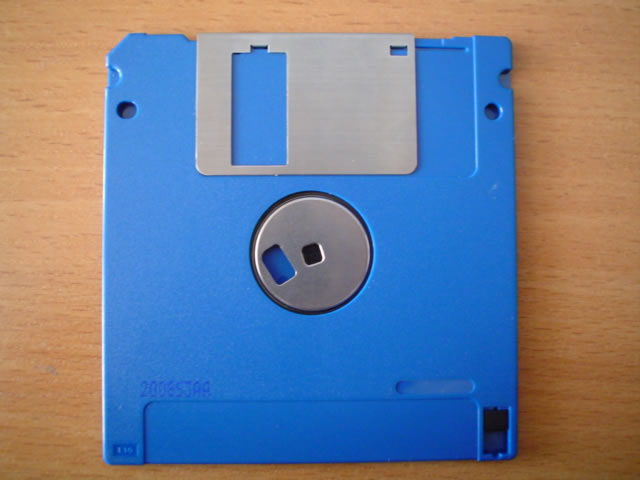
A floppy disk is a removable storage medium containing a thin, flexible disk coated with magnetic material. A compatible floppy-disk drive spins the disk while a read-and-write head records or retrieves information. The name came from the flexible construction of the original disks, although the later 3.5-inch version was enclosed in a rigid plastic case.
Floppy-disk capacity was normally measured in kilobytes or megabytes. Their limited capacity seems remarkably small today, but floppies provided an affordable and convenient way to move information between computers before networks, writable optical discs and flash storage became widely available.
The History of the Floppy Disk
IBM began developing the floppy disk in the late 1960s. The first commercial IBM floppy-disk drive appeared in 1971. Its 8-inch disk stored approximately 80 kB and was initially created to load instructions and software updates into mainframe computers. Unlike punched cards, a floppy could hold thousands of characters in a compact, reusable format.
The smaller 5.25-inch floppy was introduced during the 1970s as personal computers and word-processing systems needed a more compact drive. Early versions stored approximately 100 kB, while later double-sided and high-density formats commonly held 360 kB or 1.2 MB.
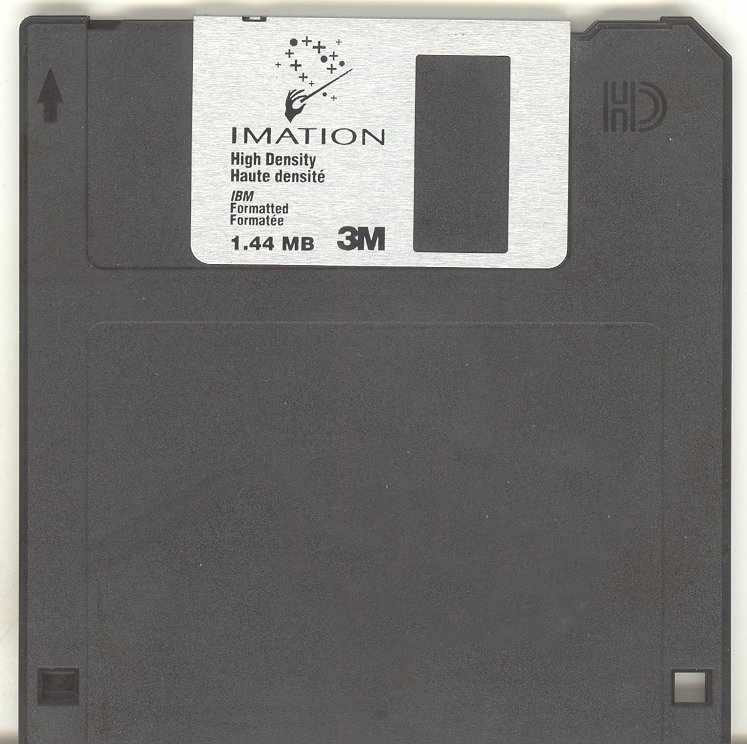
Sony introduced the 3.5-inch format in the early 1980s. Its stronger plastic shell and sliding metal shutter offered better protection than the flexible jackets used by earlier disks. Common capacities included 720 kB for double-density disks and 1.44 MB for high-density disks. Some less common extended-density disks stored 2.88 MB.
Common Floppy-Disk Sizes and Capacities
- 8-inch floppy: early versions stored about 80 kB, with later formats offering more capacity.
- 5.25-inch floppy: common capacities included 160 kB, 180 kB, 360 kB and 1.2 MB.
- 3.5-inch floppy: commonly available in 720 kB and 1.44 MB versions.
- SuperDisk: a later removable format that offered 120 MB or 240 MB while supporting some traditional floppy disks.
Floppy Disks in Kilobytes and Megabytes
Where Were Floppy Disks Used?
During the 1970s, 1980s and 1990s, floppy disks were used in offices, schools, universities, libraries and homes. People saved word-processing documents, spreadsheets, small databases, homework and computer programs on them. Software companies distributed applications, games, hardware drivers and operating-system installation files on sets of floppy disks.
Before internet access and local networks became common, users physically carried disks between computers. This informal method of transferring data became known as “sneakernet.” Floppies were also used to start computers, install firmware updates and create emergency recovery disks.
Why Did Floppy Disks Disappear?
Floppy disks were inexpensive, portable and supported by most personal computers, but their capacity and speed became inadequate as software and media files grew. They were also vulnerable to dust, magnetic fields, heat and physical damage. A modern photograph can be several megabytes and may not fit on a single 1.44 MB disk.
Writable CDs, network transfers, memory cards and other higher-capacity technologies gradually replaced the floppy. Nevertheless, floppy disks remain historically important because they helped establish removable personal storage and made commercial software distribution practical. More historical information is available from IBM’s floppy-disk history and the Computer History Museum.