Kilobyte to Megabyte Conversion Formula
In the decimal system, one megabyte contains exactly 1,000 kilobytes:
1 MB = 1,000 kB
Therefore:
1 kB = 0.001 MB
To convert kilobytes to megabytes, divide the number of kilobytes by 1,000:
MB = kB ÷ 1,000
Common kB to MB Values
| Kilobytes (kB) | Megabytes (MB) |
|---|---|
| 1 kB | 0.001 MB |
| 5 kB | 0.005 MB |
| 10 kB | 0.01 MB |
| 25 kB | 0.025 MB |
| 50 kB | 0.05 MB |
| 100 kB | 0.1 MB |
| 250 kB | 0.25 MB |
| 500 kB | 0.5 MB |
| 750 kB | 0.75 MB |
| 1,000 kB | 1 MB |
| 1,024 kB | 1.024 MB |
| 2,000 kB | 2 MB |
| 5,000 kB | 5 MB |
| 10,000 kB | 10 MB |
Router and Modem Speeds: From kB/s to MB/s
What are routers and modems?
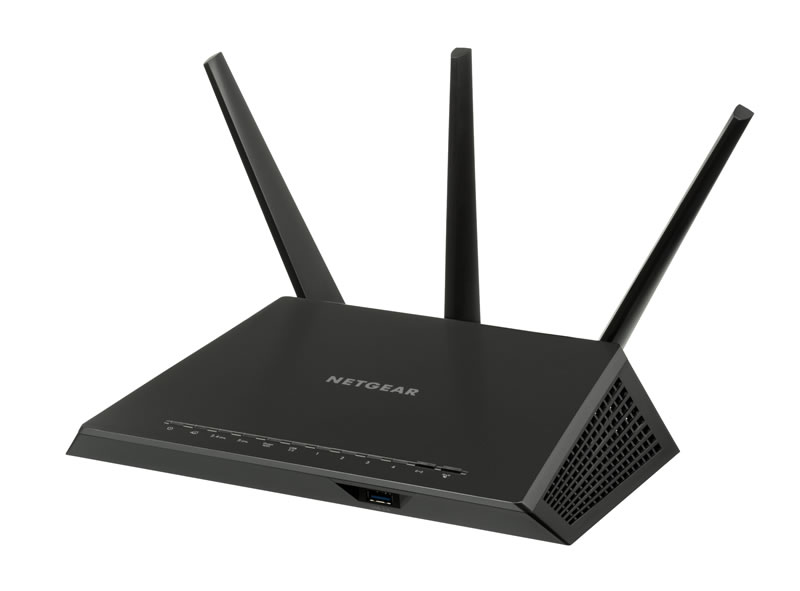
A modem and a router have different roles in a home or business network. A modem communicates with an internet service provider and brings the internet connection into the building. A router shares that connection among computers, phones, televisions, game consoles, security cameras, and other devices.
Some internet providers supply one device that combines both functions. This is commonly called a gateway. Separate modems and routers are also widely used because either device can be upgraded independently.
Understanding kB, MB, Kbps and Mbps
Plain kB and MB measure an amount of data. Network speed adds “per second,” producing kB/s and MB/s. Internet plans and networking equipment are usually advertised in bits per second, such as Kbps, Mbps, or Gbps.
Because one byte contains eight bits, divide a rate in Kbps or Mbps by eight to estimate its theoretical speed in kB/s or MB/s:
kB/s = Kbps ÷ 8
MB/s = Mbps ÷ 8
For example, a 100 Mbps connection has a theoretical transfer rate of 12.5 MB/s. This means it could transfer 12.5 megabytes of data each second under ideal conditions.
The history of modem speeds
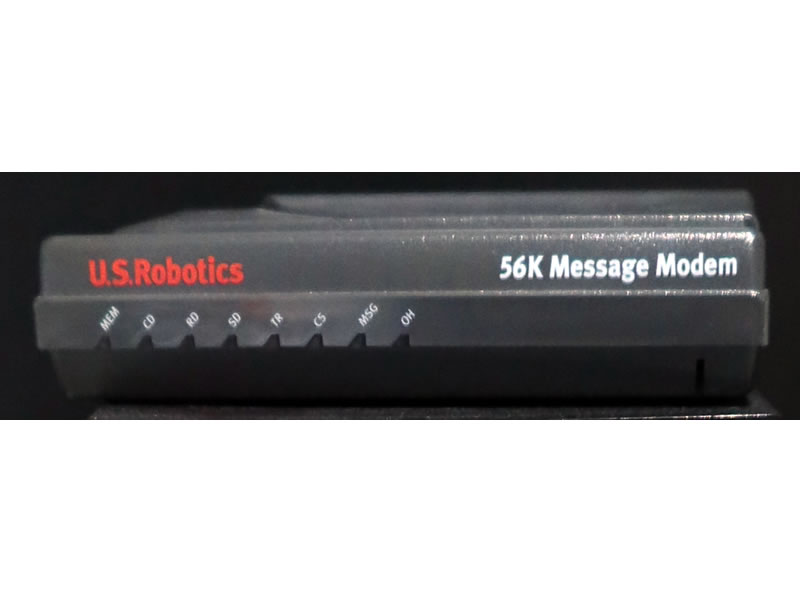
Early computer modems sent data over telephone lines. During the 1980s and 1990s, common speeds included 1,200, 2,400, 9,600, 14,400 and 28,800 bits per second. These connections transferred only a fraction of a megabyte each minute.
The V.90 dial-up standard, introduced in the late 1990s, supported downstream rates of up to 56 Kbps. Dividing 56 by eight gives a theoretical rate of approximately 7 kB/s. At that speed, downloading a 1 MB file could take more than two minutes, and real connections were frequently slower.
DSL and cable modems moved household internet access from kilobits into megabits per second. A 10 Mbps broadband connection could theoretically transfer 1.25 MB/s, while a 100 Mbps connection could reach 12.5 MB/s. Fiber and modern cable services now offer speeds measured in hundreds or thousands of megabits per second.
The development of router speeds
Early home routers mainly distributed dial-up or slow broadband connections through wired Ethernet. Wireless routers became more common after the introduction of Wi-Fi standards. An early 802.11b router advertised a maximum link rate of 11 Mbps, equivalent to about 1.375 MB/s before network overhead.
Later Wi-Fi generations increased speed, coverage and network capacity. Wi-Fi 4 introduced wider adoption of multiple antennas, while Wi-Fi 5 improved performance on the 5 GHz band. Wi-Fi 6 was designed to handle many connected devices more efficiently. Wi-Fi 6E extended compatible networks into the 6 GHz band, and Wi-Fi 7 introduced features intended to provide faster and more responsive wireless connections.
Modern modem and router development
Current broadband development focuses on multi-gigabit service, stronger upload performance and lower latency. DOCSIS 4.0 cable technology supports network capacity of up to 10 Gbps downstream and 6 Gbps upstream. The theoretical byte rates are 1,250 MB/s and 750 MB/s respectively, although customers will not necessarily receive these maximum rates.
Modern routers support activities such as 4K streaming, cloud backups, online gaming, remote work and smart-home automation. Mesh systems use several access points to extend coverage across larger buildings. Newer equipment may also include multi-gigabit Ethernet ports, automatic channel management and improved wireless security.
A fast router cannot make an internet plan faster. Similarly, a high-speed modem cannot deliver its full performance through an old or poorly positioned router. Actual speed may be reduced by network congestion, Wi-Fi interference, distance, walls, device limitations, server capacity and protocol overhead.
Router and Modern in Megabytes and Kilobytes
For technical background, see the ITU V.90 modem recommendation and CableLabs’ DOCSIS 4.0 overview.