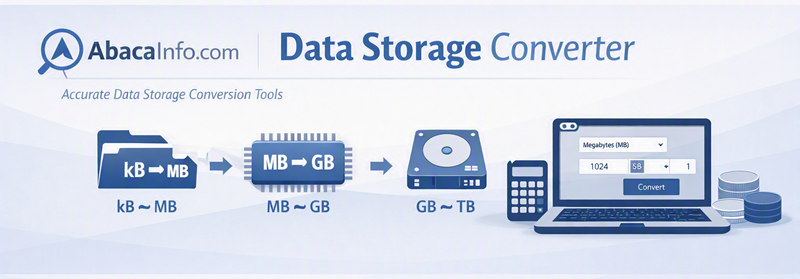
Kilobyte to Gigabyte Conversion Formula
In the decimal system, one gigabyte contains one million kilobytes:
1 GB = 1,000,000 kB
Therefore:
1 kB = 0.000001 GB
To convert kilobytes to gigabytes, divide the kilobyte value by 1,000,000:
GB = kB ÷ 1,000,000
For example:
2,500,000 kB ÷ 1,000,000 = 2.5 GB
Common kB to GB Values
| Kilobytes (kB) | Gigabytes (GB) |
|---|---|
| 1 kB | 0.000001 GB |
| 1,000 kB | 0.001 GB |
| 10,000 kB | 0.01 GB |
| 100,000 kB | 0.1 GB |
| 250,000 kB | 0.25 GB |
| 500,000 kB | 0.5 GB |
| 750,000 kB | 0.75 GB |
| 1,000,000 kB | 1 GB |
| 2,000,000 kB | 2 GB |
| 5,000,000 kB | 5 GB |
| 10,000,000 kB | 10 GB |
| 25,000,000 kB | 25 GB |
| 50,000,000 kB | 50 GB |
| 100,000,000 kB | 100 GB |
Computer Operating System Sizes: From Kilobytes to Gigabytes
What is a computer operating system?
An operating system, usually shortened to OS, is the main software that manages a computer’s processor, memory, storage and connected devices. It also provides the environment in which applications run. Desktop computers, servers, smartphones, tablets, game systems and many embedded devices all depend on some form of operating system.
Operating-system size can mean several different things. The installation files occupy space on a storage device, while parts of the system are loaded into memory when the computer starts. An OS may therefore require both permanent storage and working memory. Its installed size is normally much larger than the amount of memory used by its core components.
Early operating systems measured in kilobytes
The earliest computers had extremely limited memory and storage. Their control software was designed for a particular machine and often handled one task at a time. Mainframe operating systems later introduced batch processing, time-sharing and support for multiple programs and users.
During the 1970s, operating systems such as CP/M helped make disk-based personal computers practical. These systems used command-line interfaces and were small enough to run on machines whose memory was measured in kilobytes. Programs and operating-system files were commonly stored on floppy disks.
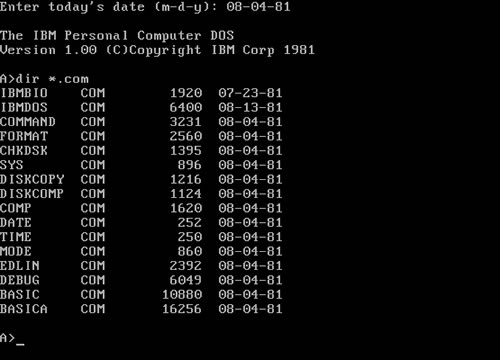
The first IBM PC arrived in 1981 with PC DOS. According to the Computer History Museum, DOS 1.0 used approximately 12 kB of memory. DOS 2.0, released in 1983 with directory and hard-drive support, used approximately 28 kB. Early versions could fit on floppy disks holding only a few hundred kilobytes.
These systems were used in homes, schools and offices for word processing, accounting, programming, database management and early computer games. Their small size reflected both strict hardware limits and their comparatively simple text-based features.
The move from kilobytes to megabytes
As computers became more powerful, operating systems gained graphical interfaces, mouse support, networking, sound, printing and broader hardware compatibility. Their size consequently grew from kilobytes into megabytes.
Systems such as the classic Mac OS and early versions of Microsoft Windows introduced visual desktops with windows, icons and menus. Later releases added internet tools, multimedia components, device drivers and more advanced security. Installation media moved from floppy disks to CD-ROMs and DVDs because a single floppy could no longer hold all the required files.
Modern operating systems measured in gigabytes
Current desktop and mobile operating systems commonly occupy several gigabytes. They include graphical assets, accessibility tools, networking services, recovery environments, security databases, fonts, language files and drivers for a wide range of hardware.
For example, Microsoft specifies a storage device of at least 64 GB for Windows 11. This does not mean that every operating-system file uses the entire 64 GB. The requirement provides room for Windows itself, updates, temporary files, recovery features and applications.
Desktop operating systems are used for productivity, communication, gaming and creative work. Server systems operate websites, cloud platforms, databases and corporate networks. Mobile operating systems manage smartphones and tablets, while smaller embedded systems control routers, televisions, vehicles, industrial equipment and smart-home devices.
Operating systems: From Kilobytes to Gigabytes
Current operating-system development
Modern development emphasizes security, cloud integration, virtualization, energy efficiency and support for artificial intelligence. Operating systems now receive frequent security and feature updates instead of relying entirely on occasional boxed releases.
Some AI-enabled computers include local models, language data and additional system components that can require several gigabytes. At the opposite end of the scale, lightweight operating systems for sensors, microcontrollers and other embedded products may still occupy only a few kilobytes or megabytes.
This creates an unusually wide range: a specialized embedded operating system may fit into a small amount of kB storage, while a complete desktop installation, recovery environment and updates can require many GB. The difference illustrates how operating systems have expanded as computers have gained more capabilities.
Read more from the Computer History Museum’s history of early MS-DOS, IBM’s operating-system overview, and Microsoft’s Windows 11 requirements.