Kilobyte to Gigabyte Conversion Formula
Decimal file-size units use powers of 1,000, so one gigabyte contains one million kilobytes:
1 GB = 1,000,000 kB
To convert kilobytes to gigabytes, divide the number of kilobytes by 1,000,000:
GB = kB ÷ 1,000,000
For example, 2,500,000 kB ÷ 1,000,000 = 2.5 GB.
Common kB to GB Values
| Kilobytes (kB) | Gigabytes (GB) |
|---|---|
| 1 kB | 0.000001 GB |
| 1,000 kB | 0.001 GB |
| 10,000 kB | 0.01 GB |
| 100,000 kB | 0.1 GB |
| 250,000 kB | 0.25 GB |
| 500,000 kB | 0.5 GB |
| 750,000 kB | 0.75 GB |
| 1,000,000 kB | 1 GB |
| 2,000,000 kB | 2 GB |
| 5,000,000 kB | 5 GB |
| 10,000,000 kB | 10 GB |
| 25,000,000 kB | 25 GB |
| 50,000,000 kB | 50 GB |
| 100,000,000 kB | 100 GB |
Video Game Sizes: From Kilobytes to Gigabytes
What determines a video game's file size?
A video game's size is the amount of storage required for its program code and content. Early games could fit into a few kilobytes because they used simple graphics, short sound effects and compact instructions. Modern games may need tens or even hundreds of gigabytes because they can include detailed 3D worlds, high-resolution textures, recorded dialogue, music, cinematic video, online features and files for several languages.
The kilobyte era
Commercial video games emerged in arcades during the 1970s and soon entered homes through dedicated consoles and early personal computers. Storage and memory were expensive, so developers had to work within severe limits. Game programs were written efficiently, repeated graphics were built from small tiles, and sound was often generated in real time rather than stored as recordings.
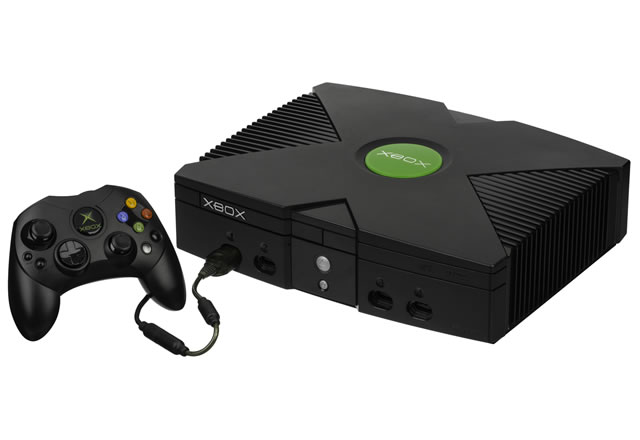
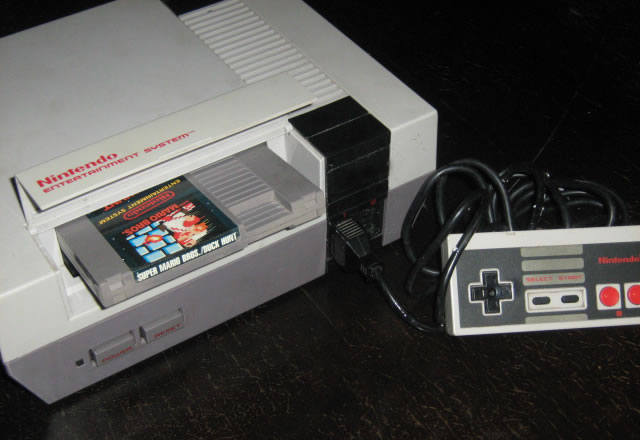
Cartridges, cassette tapes and floppy disks carried games for early consoles and computers. Depending on the machine and release, a complete game might occupy only a few kB or several hundred kB. These games were played in arcades, homes, schools and computer clubs. Their modest size did not prevent memorable design; instead, limited hardware encouraged developers to rely on strong rules, recognizable characters and carefully constructed levels.
From megabytes to optical discs
During the late 1980s and 1990s, improved consoles and computers made larger games practical. Cartridge capacities increased, while CD-ROMs provided hundreds of megabytes at a comparatively low cost. Developers could add recorded music, spoken dialogue, longer animations and pre-rendered video. Games spread further into family living rooms, specialist gaming PCs, handheld systems and educational settings.
DVDs and later Blu-ray discs supported still larger releases. At the same time, faster internet connections made digital distribution increasingly important. Instead of buying every title on physical media, players could download games directly to a console, computer, phone or tablet.
Modern games measured in gigabytes
Today, major PC and console games are commonly measured in GB. Large open worlds require many environmental assets, while realistic characters may use detailed models, textures, motion capture and extensive voice recordings. Updates, downloadable content and online maps can increase the installed size long after release. A store's download figure may also differ from the final installed size because compressed files expand during installation.
Not every modern game is large. Browser games, mobile games, independent titles and retro-style releases may remain relatively small. Cloud gaming can reduce the amount stored on the player's device because the game runs on a remote server, although the service still transfers substantial data while the user plays.
Current development
Developers now balance visual quality with download time and storage limits. Common techniques include compression, shared assets, optional language packs and allowing players to install only selected game modes. Newer storage hardware can load large worlds quickly, but efficient file design remains important for people with slower broadband, data limits or smaller drives.
The shift from kB to GB reflects more than bigger files. It traces the development of gaming from compact machine instructions to interactive worlds containing cinema-quality sound, complex simulations and global online services. Kilobytes are still useful for describing tiny configuration or save files, while gigabytes are the natural unit for complete modern installations.